Editing an Item in Arda
Last updated: January 23, 2026
This article explains how to edit an item in Arta efficiently. You will learn the steps to select, modify, and update an item within your workspace.
1. Choose The Item From List
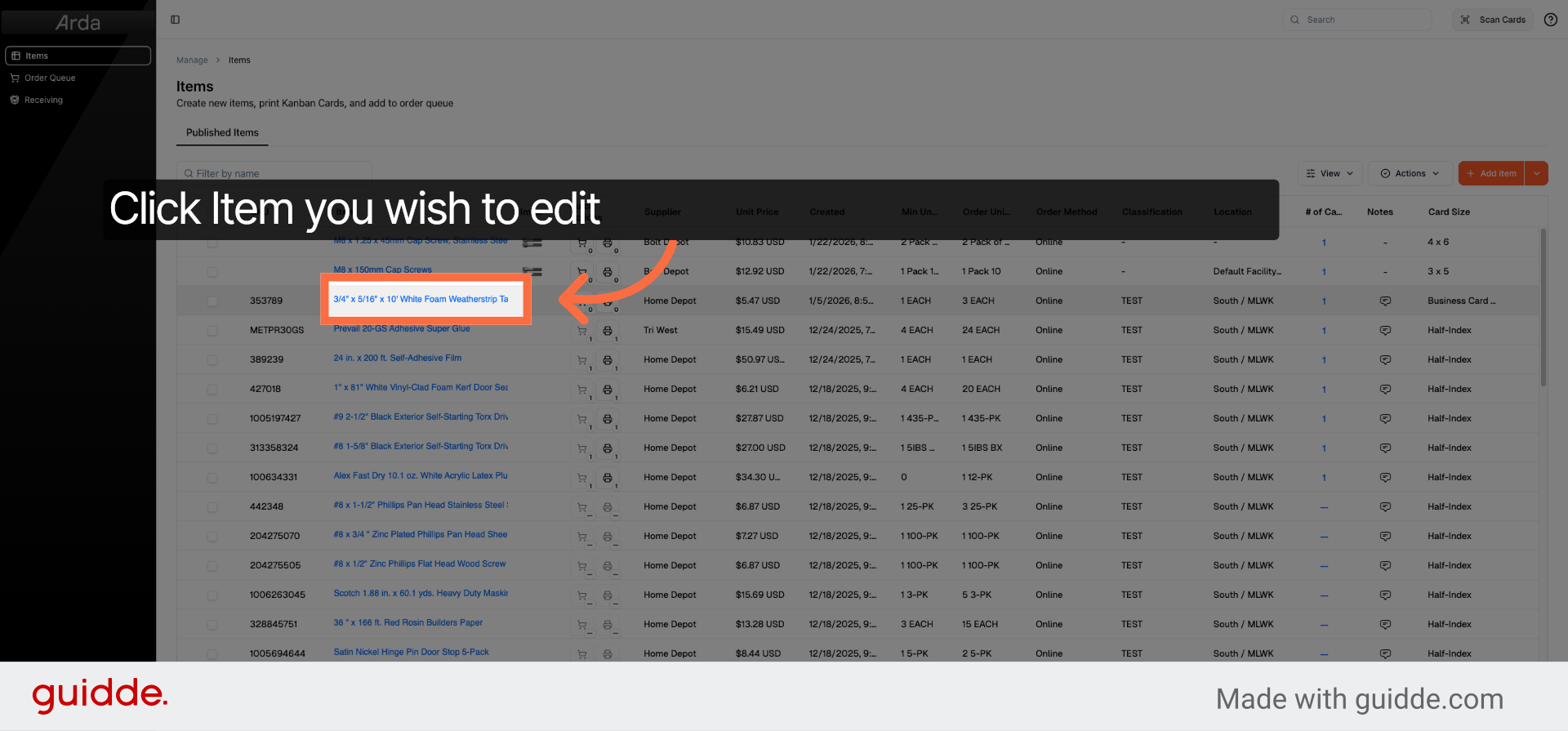
To edit and item in Arda, choose the item you want to modify from the list displayed in your workspace.
2. Click Edit Item Button
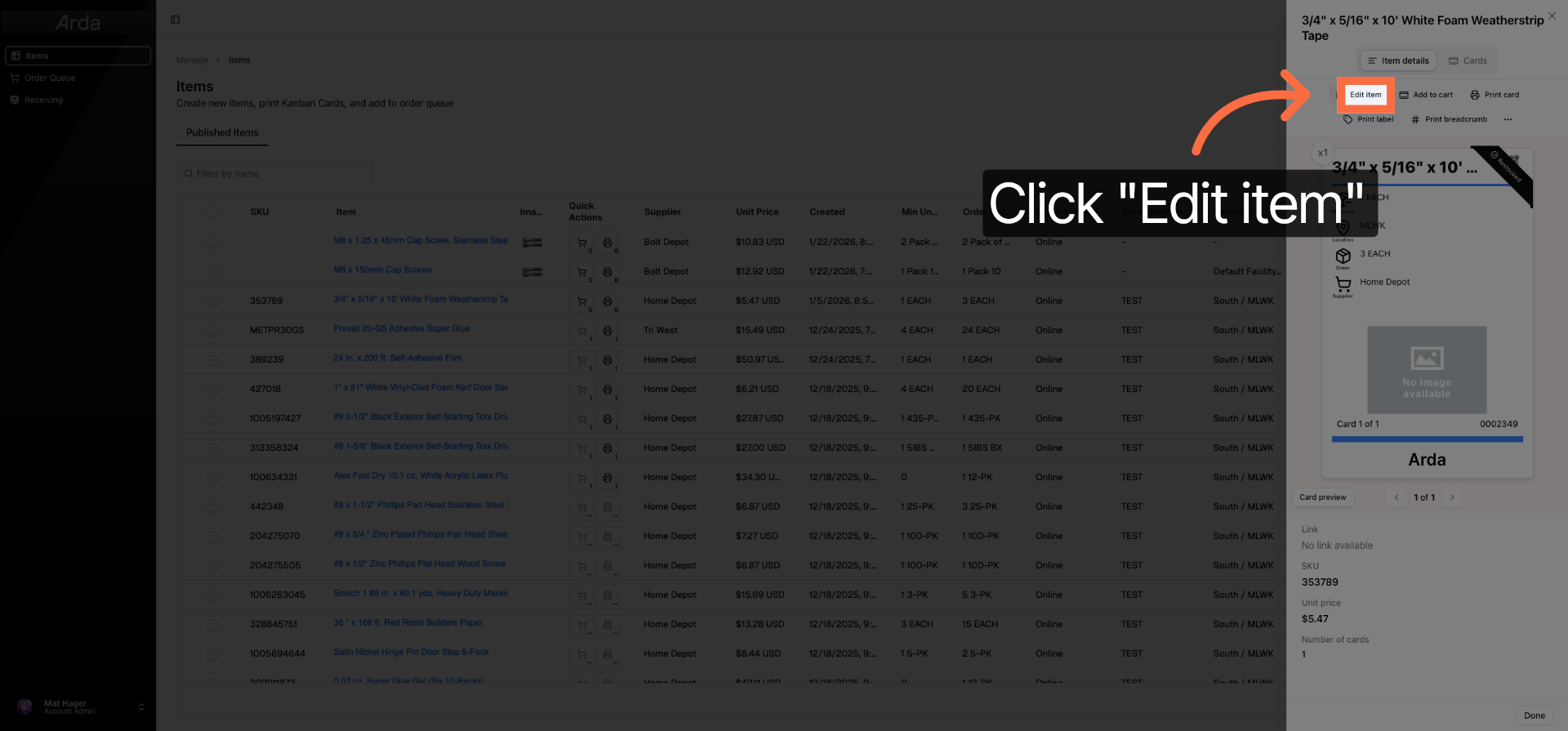
Click the Edit item button to open the item details for modification.
3. Select The Field You'd Like to Edit
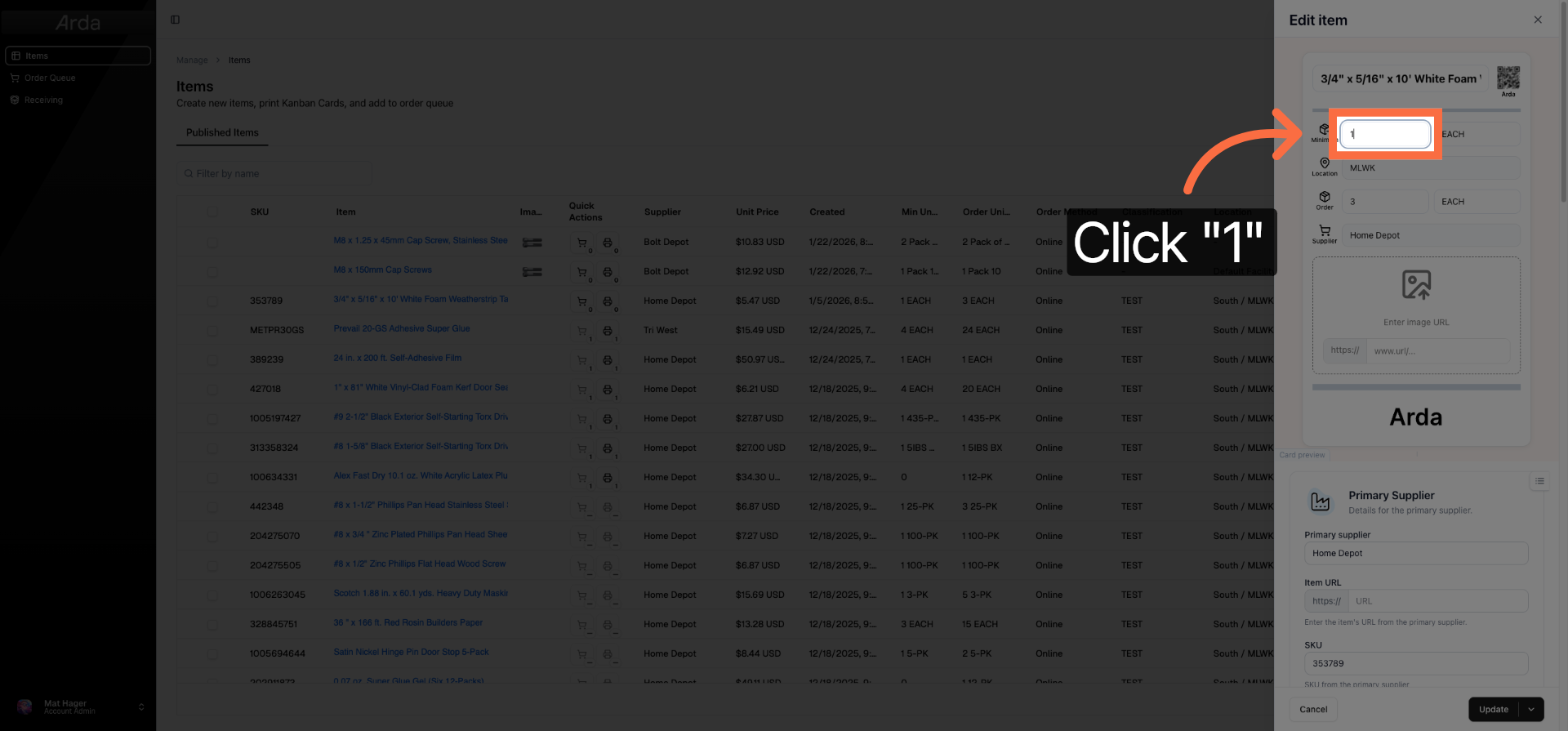
Select the field you'd like to edit. In this case I'm going to update the minimum quantity field to raise the quantity at which we will reorder.
4. Click Update To Save
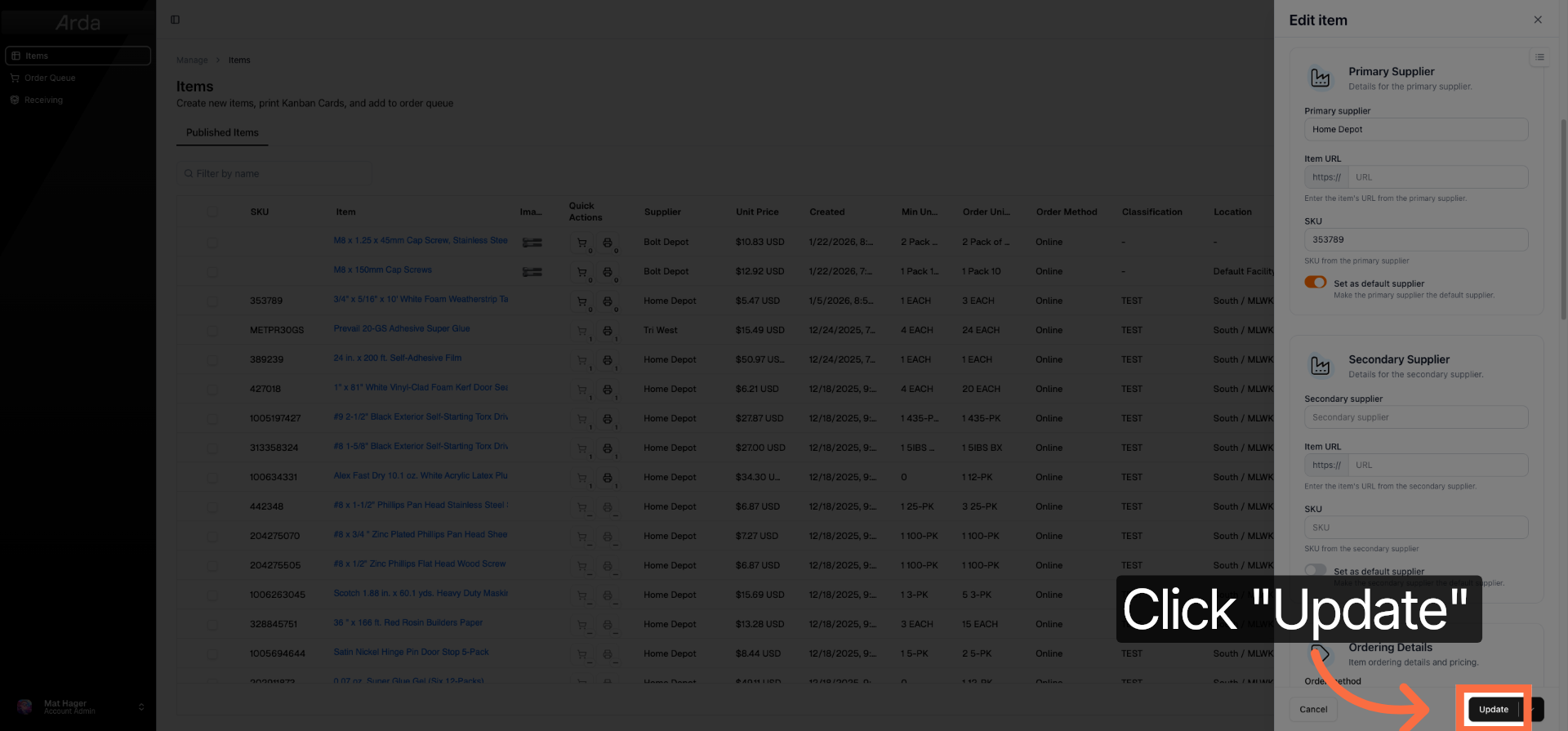
Click the Update button to save your changes and apply them to the item.
You have successfully edited an item in Arda by selecting it, making the necessary changes, and updating the record. For more information, refer to related articles on item management and workspace navigation.